

Creating and Editing Social Media Videos Using Only a Smartphone

Creating and editing social media videos using only a smartphone

Creating and Editing Social Media Videos Using Only a Smartphone
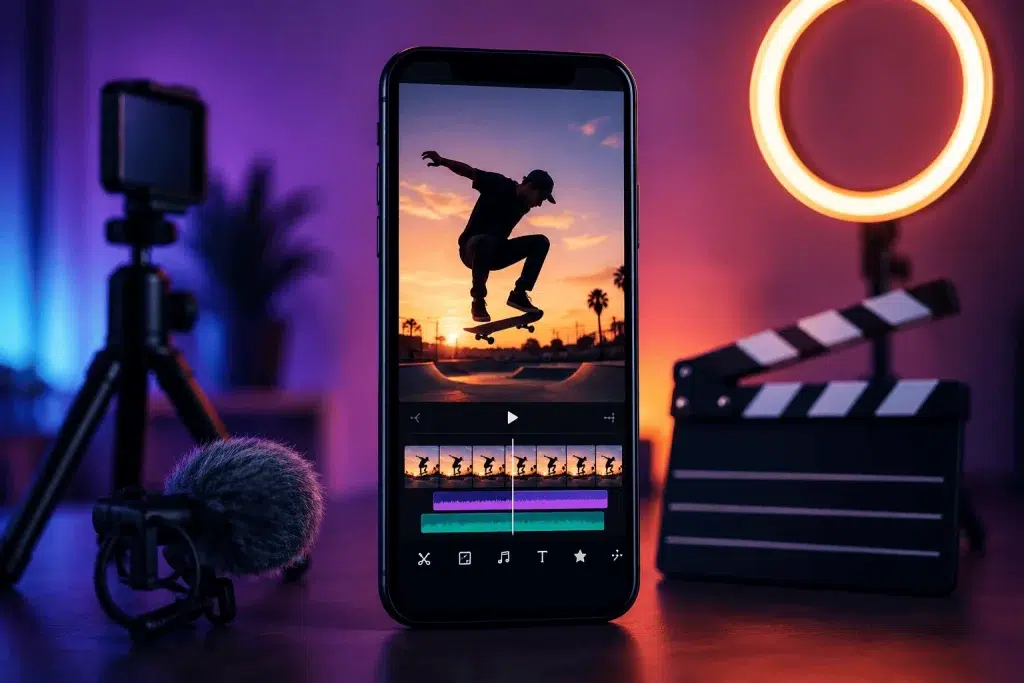
This practical programme presents the entire process of creating social media content using only a smartphone.

Participants will learn to plan, film, edit and export short videos for Instagram Reels, TikTok and YouTube Shorts, without needing a computer or professional equipment.

Using VN Video Editor as the main tool, participants will edit directly on their phones and add music, narration, titles, subtitles, graphics and basic image corrections.

The programme concludes with each participant creating a complete vertical video, from the initial idea to final publication.

Also in this category: Decentralised Financial Systems · Econometrics Applications with STATA

Upon completion of the programme, participants will be able to:

  • Plan a short video for social media
  • Create a simple script and shot list
  • Choose the right format for each platform
  • Shoot correctly with a smartphone
  • Apply basic principles of lighting and composition
  • Record cleaner sound
  • Create and organise mobile editing projects
  • Edit entirely on their phone
  • Add music, narration and sound effects
  • Create titles and subtitles
  • Carry out basic image corrections
  • Create cover images and simple graphics
  • Export the final video correctly
  • Publish content on Instagram, TikTok and YouTube
  • Complete the entire production without a computer

The programme is aimed at:

  • Beginners with no previous video editing experience
  • Content creators
  • Social media managers
  • Freelancers
  • Small business owners
  • Artists, creators and makers
  • Teachers and students
  • Marketing and communication professionals
  • Users who want to create content without a computer

No previous editing experience is required. Each participant needs a modern smartphone with available storage space.

Lesson / Module Content
Lesson 1
Content Planning for Social Media
  • Main types of short social media video
  • Instagram Reels, TikTok and YouTube Shorts
  • Understanding the audience and the purpose of the video
  • Choosing a topic and key message
  • Creating a simple concept
  • Hook, main content and call to action
  • Writing a short script
  • Creating a shot list
  • Planning a 20–45-second video
  • Preparing the smartphone for shooting
Lesson 2
Filming with a Smartphone
  • Vertical and horizontal shooting
  • Resolution and frame rate
  • Locking focus and exposure
  • Image composition and basic framing rules
  • Using natural and artificial light
  • Static and moving shots
  • Basic camera movements
  • Shooting wide, medium and close-up shots
  • Recording clean sound with a smartphone
  • Using earphones or an external microphone
  • Avoiding common mistakes
  • Practical shooting of a short sequence of shots
Lesson 3
Basic Editing on a Smartphone
  • Installing VN Video Editor and its basic interface
  • Creating a new project
  • Importing and organising videos and photos
  • Creating a vertical project in a 9:16 ratio
  • Selecting the best shots
  • Trim, split, delete and rearrange
  • Creating a basic rough cut
  • Checking length and pace
  • Changing clip speed
  • Freeze frame and basic zoom effects
  • Simple transitions
  • Saving and managing the project
Lesson 4
Sound, Text, Subtitles and Image
  • Adding music
  • Adjusting the volume of the music and the original sound
  • Fade in and fade out
  • Recording a voice-over with the smartphone
  • Adding simple sound effects
  • Creating titles
  • Choosing a legible font
  • Creating and timing subtitles
  • Placing text in safe areas
  • Adding a logo and basic branding
  • Brightness, contrast, saturation and white balance
  • Basic matching of different shots
  • Limited, correct use of filters and effects
Lesson 5
Final Project, Export and Publication
  • Completing the final edit
  • Checking the hook and the opening frame
  • Checking pace and overall length
  • Final audio adjustment
  • Checking titles and subtitles
  • Creating a cover image
  • Basic export settings
  • Resolution, frame rate and quality
  • Saving the final file on the smartphone
  • Checking before publication
  • Posting on Instagram, TikTok or YouTube
  • Writing a caption and call to action
  • Presentation and evaluation of the final projects
Final Project Each participant will create a vertical video
lasting approximately 20–45 seconds,
using only their smartphone.

Suggested topics:

  • Product presentation
  • Small business promotion
  • Short tutorial
  • Educational video
  • Behind-the-scenes content
  • Showcase of artistic work
  • Event highlight
  • Personal or professional introduction
  • Before-and-after video

The final video will include:

  • Original smartphone footage
  • Well-structured editing
  • Music or narration
  • Titles or subtitles
  • Basic image editing
  • Call to action
  • Correct export for social media

Certificate of attendance from the Employment Development Institute, a Lifelong Learning Centre certified by EOPPEP & the Ministry of Education.

Methodology

Duration: 10 hours
Format: Distance learning

Expression of Interest Form

Completing and sending this form to the Employment Development Institute does not create any obligation or commitment to cooperation.

Share:

This website uses automatic translation to provide translations for your convenience.
Please note: Automatic translations may be inaccurate.
We are not liable for errors.

Skip to content